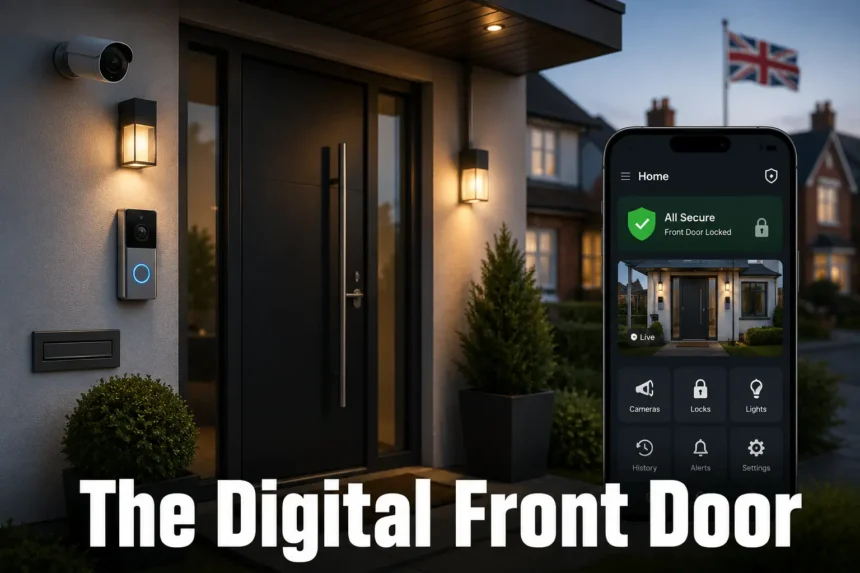
The primary entrance to a home is no longer just a door with a lock. For most UK households, it is now a managed digital checkpoint — one that identifies callers, logs deliveries, and lets residents respond from anywhere. This is the digital front door: a combination of connected hardware and software that replaces passive security with active, remote oversight of who comes and goes.
- What “The Digital Front Door” Actually Means
- Why the Traditional Front Door Falls Short Today
- The Core Hardware Behind a Digital Front Door
- Wired vs Battery, Cloud vs Local Storage
- Extending the Digital Front Door Beyond the Entrance
- Practical Use Cases: Deliveries, Visitors, and Rental Properties
- Setting One Up: A Short Step-by-Step Approach
- Privacy and Neighbour Considerations Under UK Rules
- Conclusion
- FAQs
- What is a digital front door in simple terms?
- Do I need a subscription to run a digital front door setup?
- Can I install a digital front door without wiring work?
- Is it legal to use a doorbell camera that records my street in the UK?
- How is a digital front door different from a standard home security camera?
- Can landlords use a digital front door for rental properties?
- What’s the biggest mistake people make when setting one up?
What “The Digital Front Door” Actually Means
The digital front door refers to the layer of smart technology — doorbell cameras, connected locks, motion sensors, and a linked mobile app — that sits on top of a home’s physical entrance. Instead of a static barrier that only records after the fact, it works in real time.
A resident can see a courier at the gate, speak to them, and unlock a secure delivery box, all from a phone on the other side of the country. That shift, from passive hardware to active response, is what separates a digital front door from a traditional lock and letterbox.
Why the Traditional Front Door Falls Short Today
UK households now receive a steady stream of couriers, food deliveries, tradespeople, and casual callers — often while nobody is home. A door that simply locks cannot screen any of that traffic.
Missed parcels, unverified visitors, and no record of who called all create small but constant friction. This is the exact problem the digital front door is designed to solve, by turning the entrance into an active point of contact rather than a silent barrier.
The Core Hardware Behind a Digital Front Door
A working setup typically combines three technologies, each covering a different part of the interaction.
Video doorbells and two-way audio A doorbell camera lets a resident see and speak to whoever is at the door, whether they’re upstairs, at work, or abroad. Most modern units run on battery or existing doorbell wiring and pair with a smartphone app for live view and instant alerts.
Smart locks and keyless entry A smart lock replaces or supplements a physical key with a code, app, or fob. This matters most for rental properties and households with regular visitors — cleaners, dog walkers, or family — since access can be granted or revoked instantly without cutting new keys.
Motion detection and human recognition Basic motion alerts quickly become noise if they fire for every passing car or blowing leaf. Better systems use AI-based human detection and customisable activity zones, so alerts only trigger for genuine activity on the property itself.
Wired vs Battery, Cloud vs Local Storage
Before buying anything, it helps to compare the two decisions that shape cost and convenience the most.
| Setup choice | Best for | Trade-off |
| Battery-powered doorbell | Renters, quick DIY installs, no existing wiring | Needs periodic recharging |
| Hardwired doorbell | Permanent homes with existing bell wiring | Slightly more setup effort, no charging needed |
| Cloud storage | Off-site backup, access from anywhere | Often requires a subscription |
| Local (SD card/hub) storage | One-off cost, no ongoing fees | Footage lost if the device is stolen or damaged |
Most households end up mixing approaches: battery doorbells for easy installation, paired with local storage to avoid recurring subscription costs.
Extending the Digital Front Door Beyond the Entrance
A front door camera alone leaves side passages, rear gardens, and driveways unmonitored — exactly where opportunistic issues tend to happen. Extending coverage with additional cameras, linked to the same app as the doorbell, closes that gap.
The goal isn’t more devices for their own sake. It’s a single connected view: front porch, side gate, and rear garden, checked from one interface instead of several disconnected apps.
Practical Use Cases: Deliveries, Visitors, and Rental Properties
The clearest everyday benefit is parcel security — instructing a courier to leave a package in a secure box rather than on the doorstep. Two-way audio also lets residents screen unexpected callers before opening the door at all.
For landlords and property managers, the same setup solves a different problem: coordinating access for contractors, cleaners, or new tenants without meeting them in person or handing out physical keys. This is where the digital front door overlaps with wider proptech and access-control systems used in blocks of flats and gated developments.
Setting One Up: A Short Step-by-Step Approach
- Start with a video doorbell at the main entrance — this covers the highest-traffic point first.
- Add a smart lock if multiple people (family, tenants, service providers) need controlled access.
- Extend coverage with one or two additional cameras for blind spots like side passages or rear doors.
- Connect every device to a single app rather than separate manufacturer apps.
- Set activity zones and human-detection alerts to cut down on false notifications.
Most of this can be completed in an afternoon with wireless, battery-powered hardware — no cabling through brickwork required.
Privacy and Neighbour Considerations Under UK Rules
A digital front door records more than just the resident’s own property, which raises a point competitors’ guides tend to skip: UK domestic CCTV use generally falls outside GDPR when footage stays within the household’s boundary, but the ICO recommends angling cameras to avoid capturing neighbours’ gardens or the public pavement wherever possible.
Adjustable field-of-view and activity-zone settings on modern doorbells make this easy to manage without losing coverage of the home’s own entrance.
Conclusion
The digital front door has moved from a niche gadget to a practical standard for UK homes managing daily deliveries, visitors, and access. Building one doesn’t require a full security overhaul — a video doorbell, a well-placed camera or two, and a smart lock cover most household needs. Starting at the entrance and expanding outward, while keeping privacy settings in mind, gives most households a complete, connected setup within a single weekend.
FAQs
What is a digital front door in simple terms?
It’s the combination of a video doorbell, smart lock, and connected app that lets a homeowner see, hear, and respond to activity at their entrance remotely, rather than relying on a static lock alone.
Do I need a subscription to run a digital front door setup?
Not necessarily. Cloud storage plans usually involve a monthly fee, but many doorbell cameras also support local storage via an SD card or hub, avoiding ongoing costs entirely.
Can I install a digital front door without wiring work?
Yes. Most modern doorbell cameras and smart locks are battery-powered and designed for DIY installation, typically completed in under an hour per device.
Is it legal to use a doorbell camera that records my street in the UK?
Domestic use is generally exempt from GDPR, but the ICO advises minimising footage of neighbours’ property and public areas by adjusting the camera’s field of view and activity zones.
How is a digital front door different from a standard home security camera?
A digital front door specifically centres on the entrance point and includes two-way communication and access control (like smart locks), rather than just passive recording.
Can landlords use a digital front door for rental properties?
Yes — smart locks in particular are widely used by landlords and property managers to grant or revoke access for tenants and contractors without physical key handovers.
What’s the biggest mistake people make when setting one up?
Buying multiple devices from different brands that don’t share one app, which creates several disconnected systems instead of a single, easy-to-check entrance hub.